Tutorial 4 of 8
Solve a coding exercise step by step
This is where most of your time goes. Instructions on the left, a real editor on the right, output underneath. Read, write, run, submit, advance. That loop is the whole engine of the course.
- Step 1
Start with the video step
- Most modules open with a short video lecture, usually one to three minutes.
- Watch it, then click Mark watched · +50 XP at the bottom right.
- The dots along the bottom of the screen show where you are in the module. The filled one is the current step.
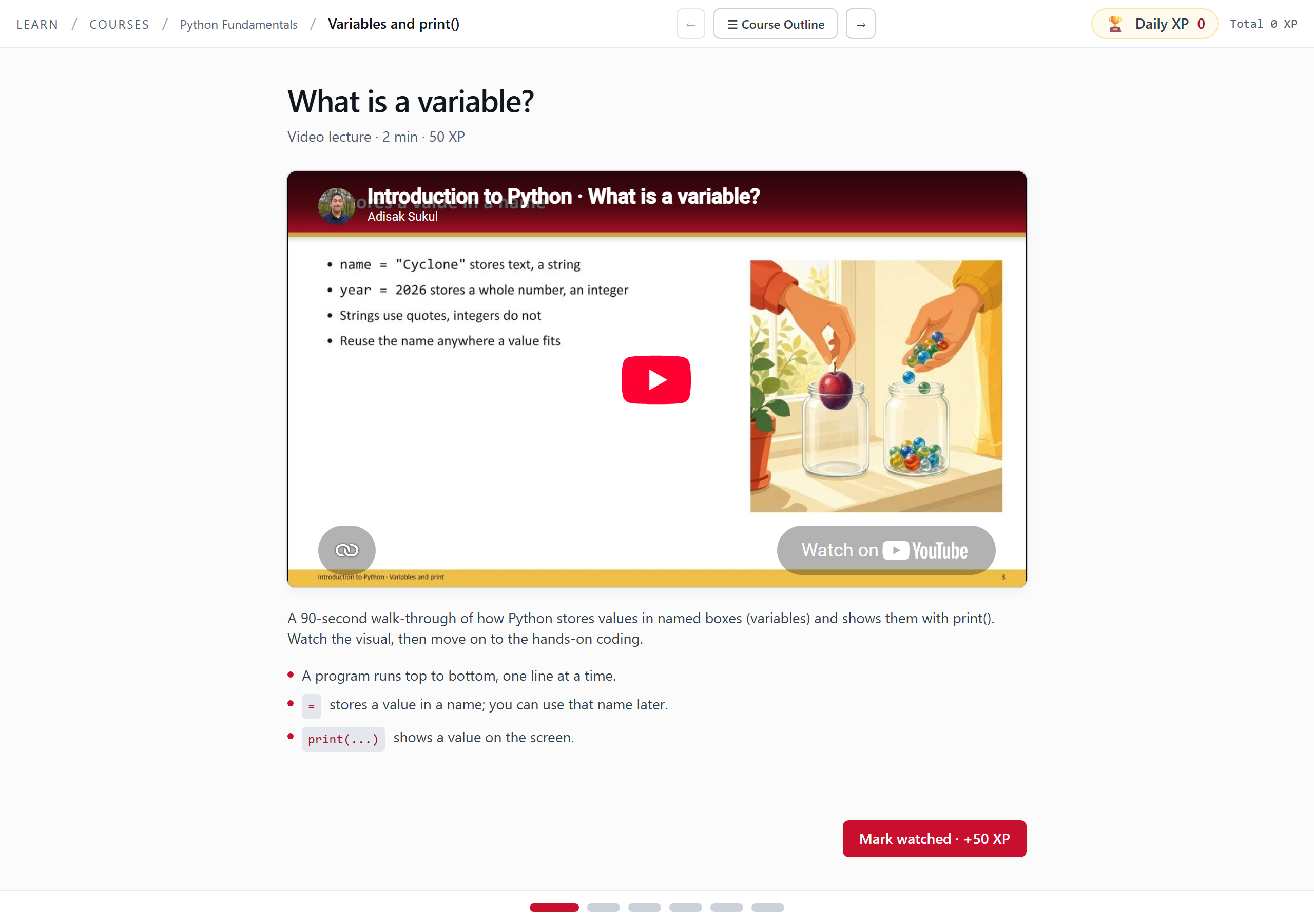
Step one of a module. Short video, three takeaways, one button. - Step 2
Read the exercise before you type
- The left pane shows how far into the module you are, for example 3 / 6, then the exercise title and a short setup.
- Read the Instructions list. The gold badge beside the heading is what this exercise is worth, for example 100 XP.
- The right pane is your editor. The header shows the file name, a PYODIDE tag, and a status word. Wait for it to read
ready. - The starter code has blanks written as
____. Replace each blank. Leave the comments alone, they tell you what each line is for.
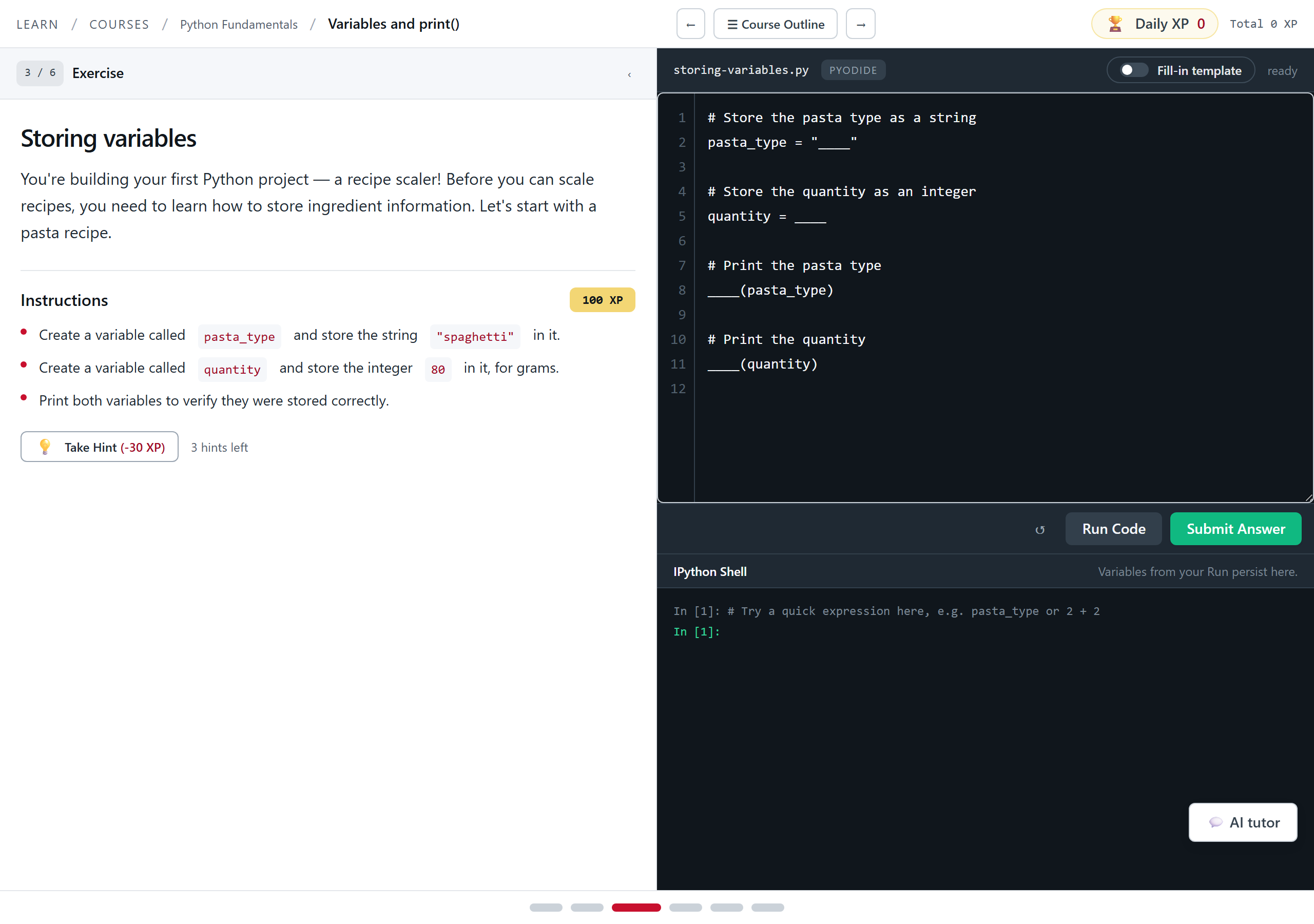
The two-pane runner. The status word `ready` means Python is loaded and the buttons are live. - Step 3
Run your code as often as you like
- Click Run Code. It is free and unlimited. It runs your program and shows you what happened.
- Output and errors land in the IPython Shell panel below the editor.
- Read the whole error, not just the last line. Python names the error type, the line, and usually the exact variable.
- Variables from your run stay alive in the shell. Type a variable name at the
In [1]:prompt and press Enter to see its value.
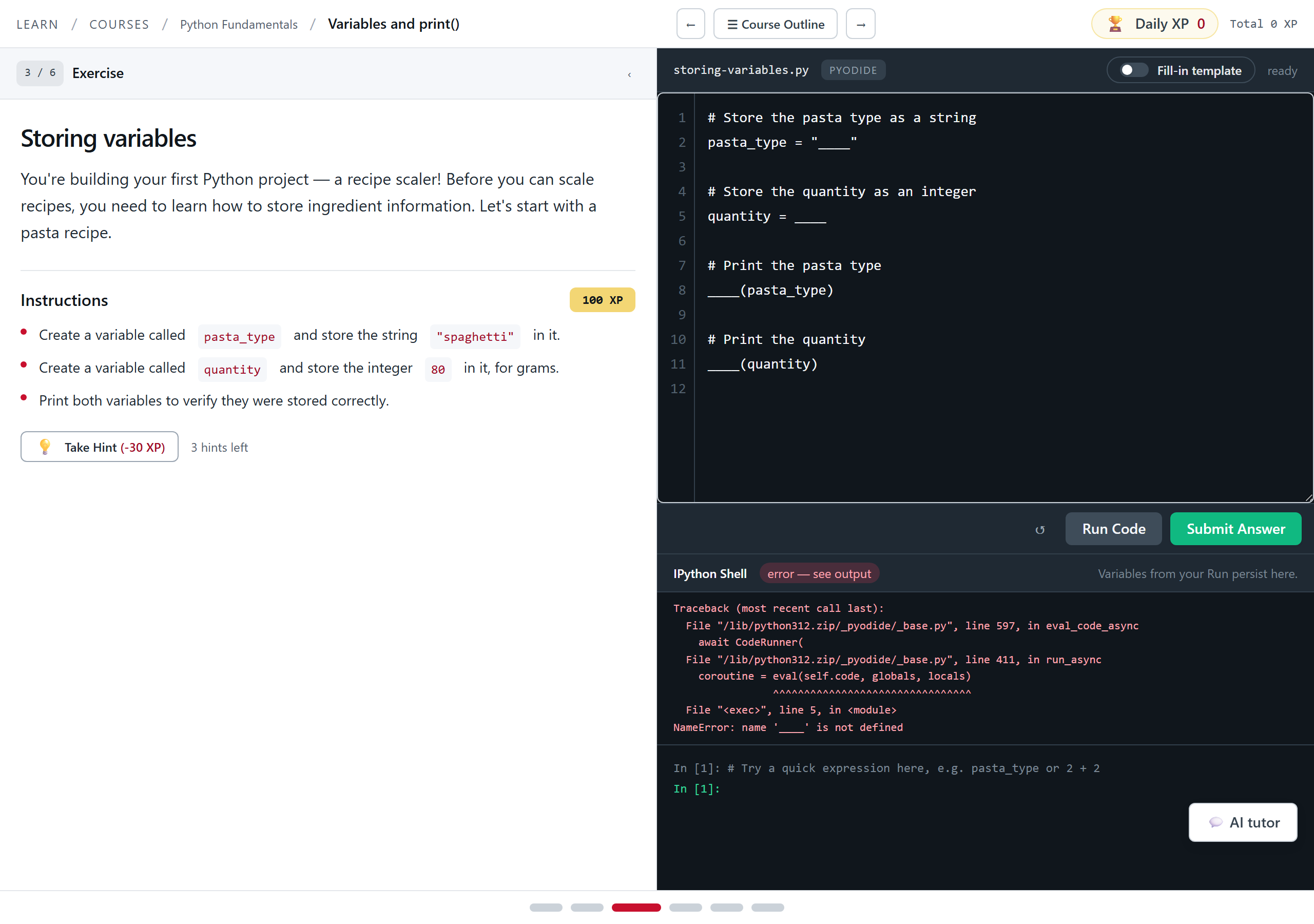
Running the untouched starter code raises a NameError. That is expected, and it is the error this lesson is about. Tip. Poke at the shell before you reach for a hint. Checking what your variables actually hold answers most confusions for free.
- Step 4
Submit and move on
- When you think it is right, click Submit Answer. This runs the hidden tests your instructor wrote.
- The tests check the values inside your program, not just what you printed. That is why printing the right thing by accident does not pass.
- On a pass, the badge turns green and reads XP earned, the shell reports
PASS: hidden tests, and a toast appears at the bottom. The badge shows what you actually banked, so it is lower if you used a hint. - Click Next step → in the toast to go straight on. The URL changes with you, so a bookmark still works.
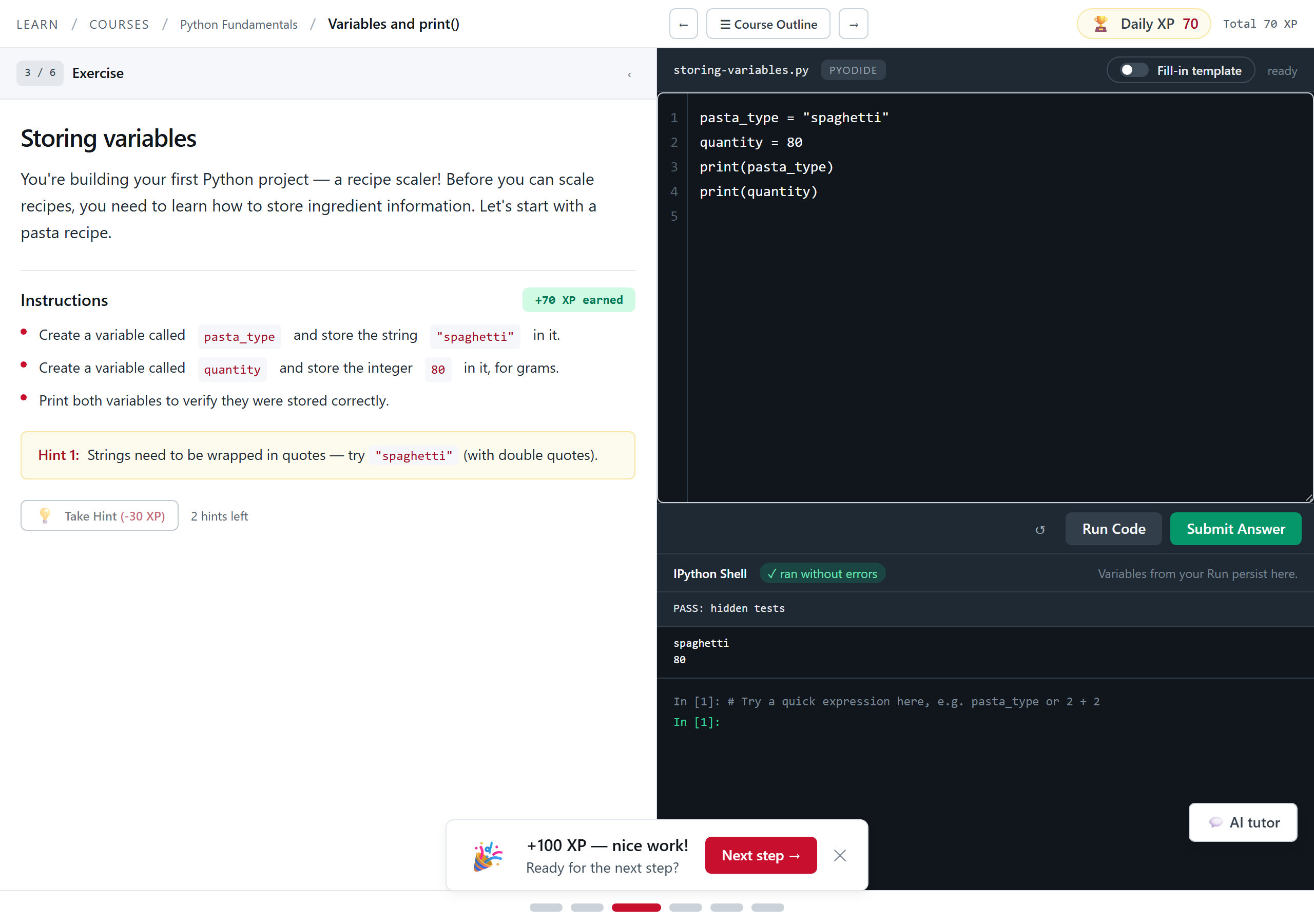
A pass. The XP lands immediately and the runner offers the next step instead of dumping you back on a menu. Tip. The same exercise never pays XP twice. If your total does not move, you already finished this one on an earlier visit.