Tutorial 3 of 8
Read a lesson with the AI tutor beside you
A lesson is a short read with the code built in. Expect about fifteen minutes, not a textbook chapter. The AI tutor sits in the right-hand column the whole way down, before you need it.
- Step 1
Open a lesson and get your bearings
- Open a lesson, for example Variables and print() at
/student/lesson/lesson-01-variables-and-print. - The breadcrumb at the top shows Dashboard, then Course, then this lesson.
- The gold button at the top right reads Practice exercises · earn 350 XP. That is where the graded work lives. Read first, then click it.
- Skim the learning objectives. They tell you what you should be able to do by the end.
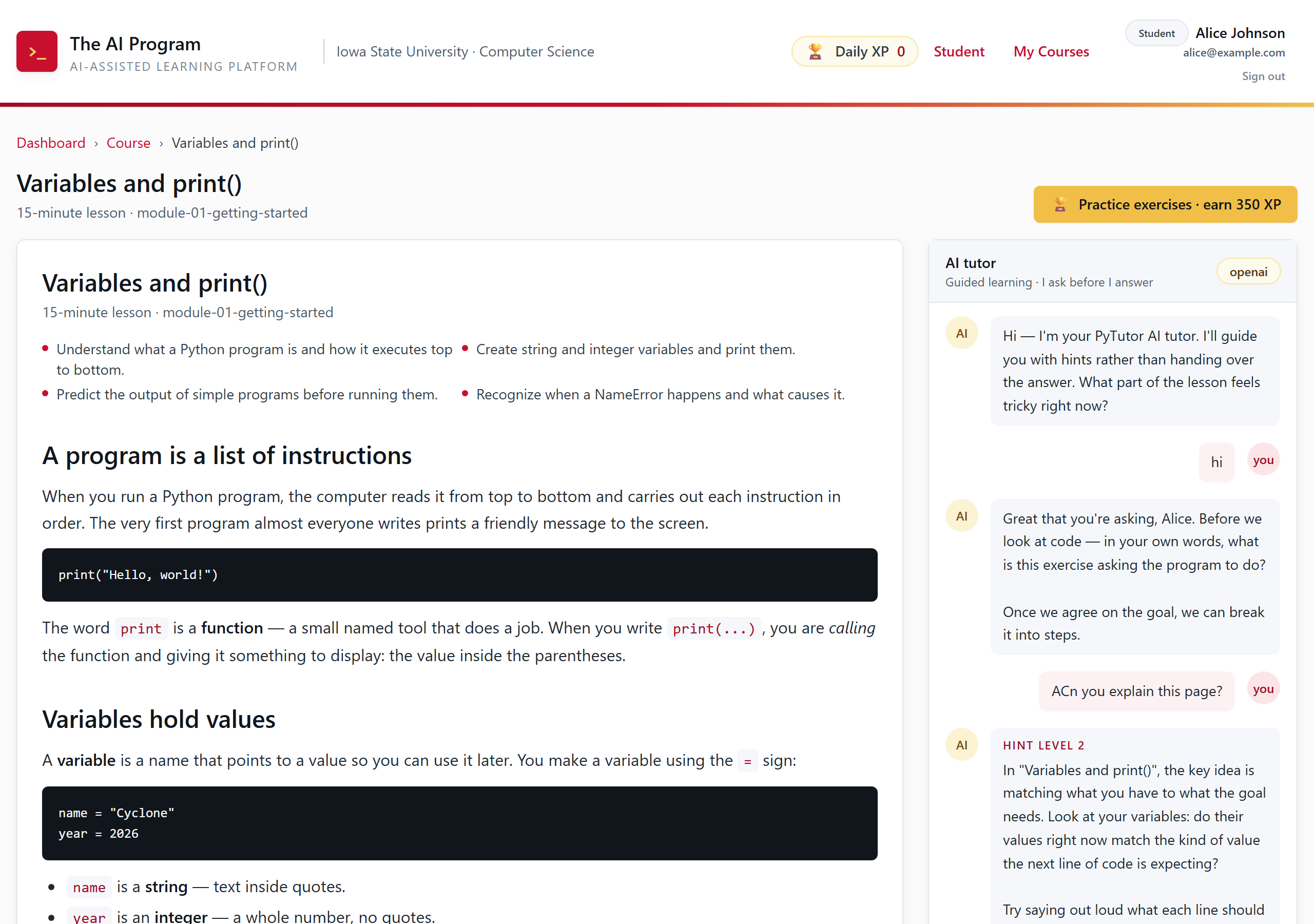
A lesson page. The tutor rail on the right follows you down the page. - Open a lesson, for example Variables and print() at
- Step 2
Read, then check yourself
- Read the explanation and the Examples block. The examples are short on purpose.
- Answer the Checkpoint questions as you reach them. You get feedback right there, and a wrong answer costs you nothing.
- Do not skip the checkpoints. They are the cheapest way to find out you misread something.
- Step 3
Run code inside the reading
- Scroll to Hands-on coding. The dark block is a real editor, not a picture of one.
- Click Run. Your output appears under the editor in the OUTPUT panel.
- Change something and run it again. Breaking the example on purpose is a good way to learn what the error messages mean.
- If the editor header says
loading…and Run is greyed out, Python is still downloading. It is about 12 MB, once, and your browser keeps it after that.
Tip. Fill-in template is a switch at the top right of the editor. Turn it on and every line collapses to a skeleton like
_____("_______"), which helps when you do not know how to start. Turning it off gives your typed code back. - Step 4
Use the extras at the bottom
- CodeLens steps through a program one line at a time and draws the variables and the objects they point at. Click Trace to start, then use ◀ Prev and Next ▶.
- Debugging interlude asks you to predict the error before you fix it. Predicting first is the point.
- At the very bottom, every lesson names its source, its chapter, what was rewritten, and its license.
Tip. Walk through CodeLens once per new concept. One full step-through is usually all it takes for a thing to click.