Tutorial 2 of 8
Find your way around the course
Introduction to Python is 19 sections and 76 short modules. A module is not a chapter you set aside an evening for. It is a handful of steps, and a step is a few minutes.
- Step 1
Open the course outline
- Click Open course on your dashboard, or go to
/student/course/python-basics. - The gold pill at the top right reads Total earned and your XP so far.
- Scroll through the numbered sections. Each one has a number in a dark circle, a title, a short description, a percentage, and a progress bar.
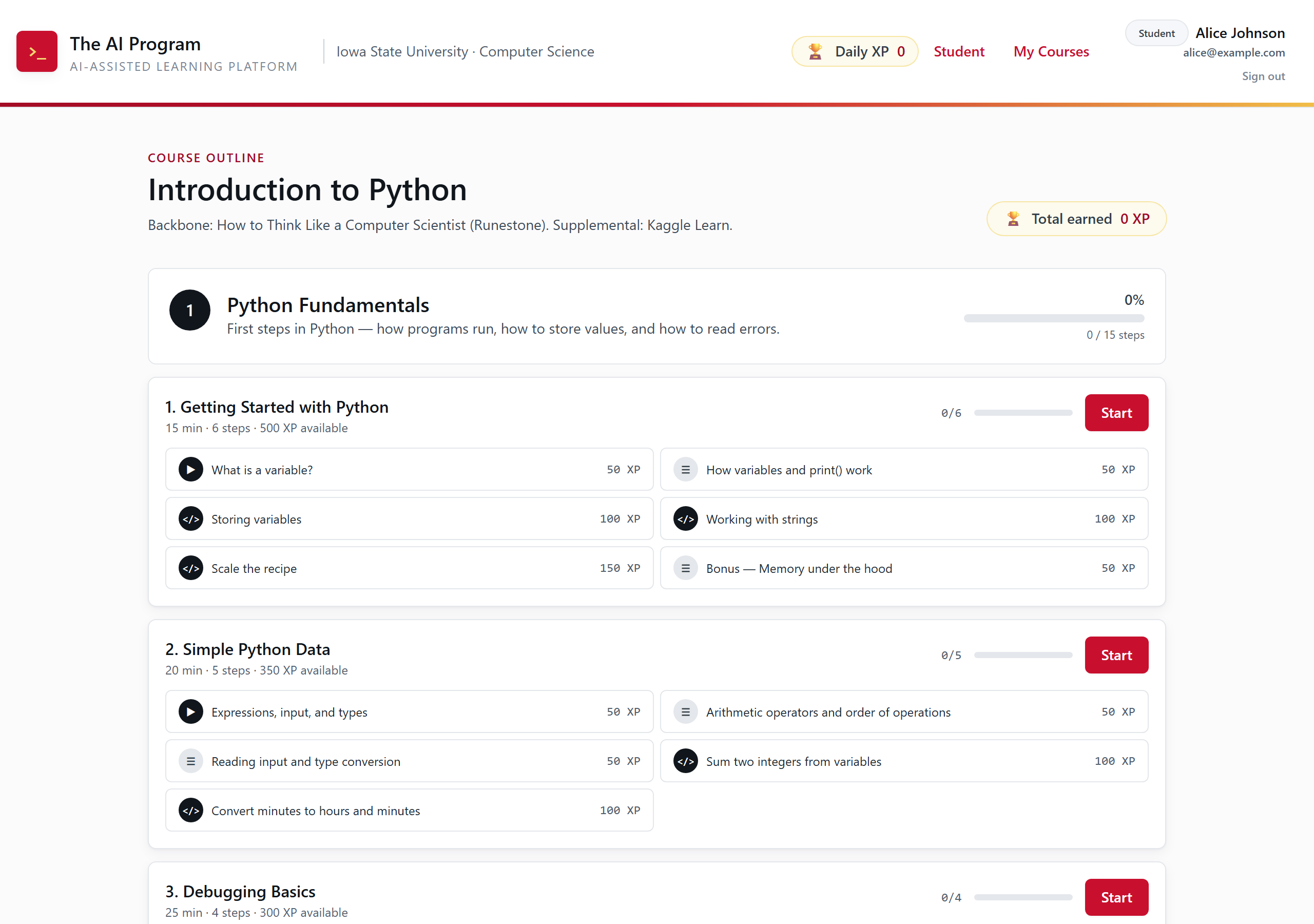
The top of the course outline. Sections stack down the page in order. - Click Open course on your dashboard, or go to
- Step 2
Look inside a module
- Each module card shows how long it takes, how many steps it has, and how much XP is on the table.
- The chips underneath are the steps. The icon tells you the kind: a play triangle is a short video, lines are a reading, and
</>is a coding exercise. - Click any chip to jump straight to that step. You do not have to start at the beginning.
- Click Start to open the module at its first unfinished step.
Tip. The percentage on a section is computed from steps you completed. Nothing on this page is self-reported.
- Step 3
See the whole map at once
- Scroll the outline page to the bottom to see all 19 sections and 76 modules in order.
- Inside a lesson or exercise, the ☰ Course Outline button in the header opens the same map in a pop-up, so you can jump anywhere without losing your place.
Tip. Every section builds on the one before it. If a module feels like it skipped a step, the missing piece is usually in the module just above it.