Tutorial 7 of 8
Complete a lab with the auto-grader
Later in the course the exercises get bigger. A lab asks for a whole function, worth 150 XP, checked by hidden tests that call your code and inspect what it gives back. A failed submission is a lesson, not a verdict.
- Step 1
Read the whole brief first
- Open a lab, for example Implement count_all at
/student/practice/lesson-counting-letters/coding-count-all. - Read the narrative at the top. It states the rules: which characters count as keys, whether case matters, and how spaces and punctuation are treated.
- Read all four Instructions lines before typing. This is a whole function, not one line.
- The badge reads 150 XP and you get 3 hints left if you need them.
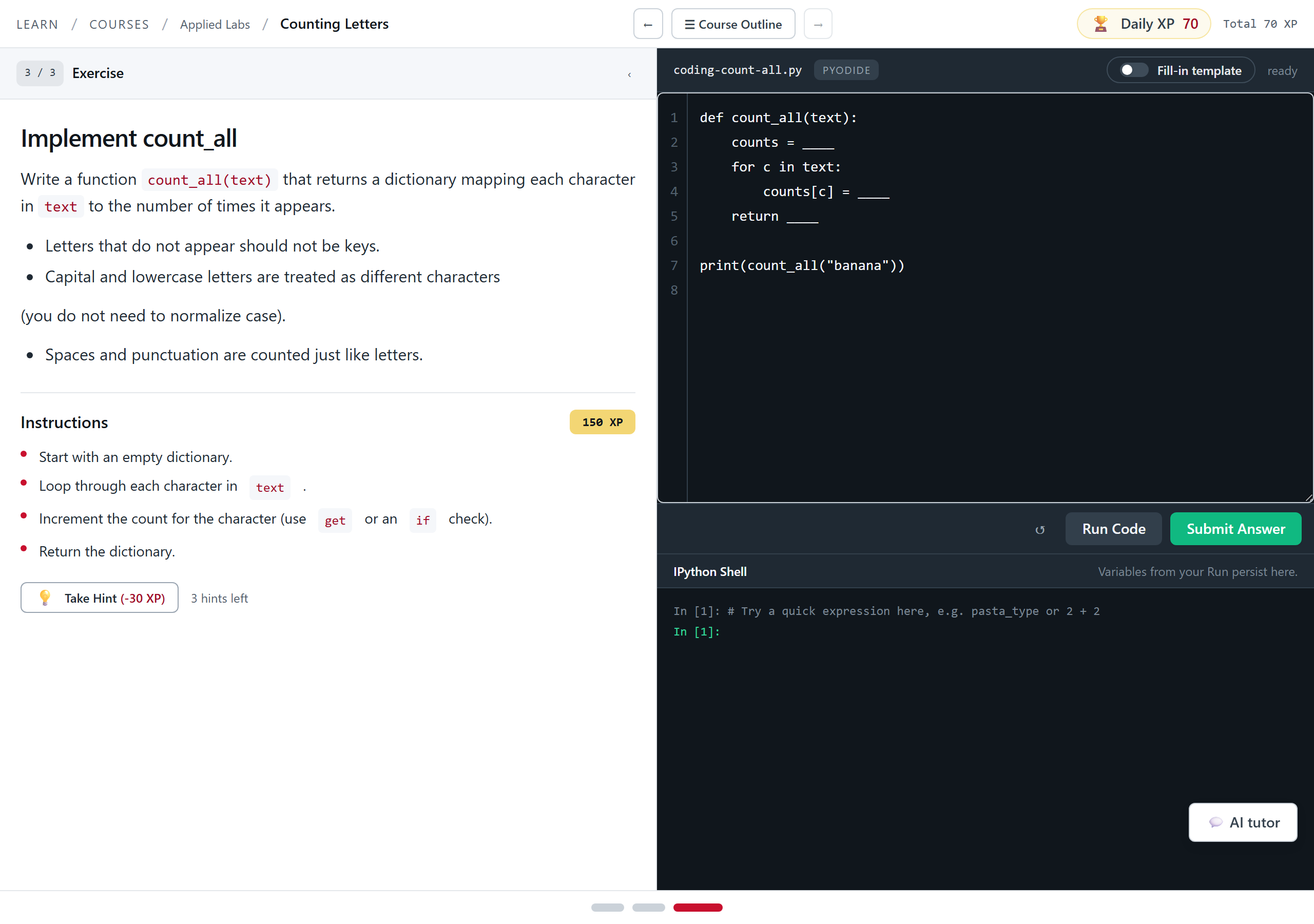
A lab. Same in-browser Python as the short exercises, more of it, and the edge cases matter. Tip. The rules in the brief are the test cases. Anything the brief bothers to mention is something the hidden tests check.
- Open a lab, for example Implement count_all at
- Step 2
Submit, and read the failure
- Click Submit Answer when you have something to check, even if you are not sure it is right.
- A test report prints in a monospace block above the shell.
- A failure does not just say wrong. It names the input it tried and what your function actually gave back, for example
FAIL: hidden tests -- banana: got {'b': 1, 'a': 1, 'n': 1}. - Compare that against what the brief said should happen. In this case
bananahas threeacharacters, so a count of 1 means the loop is overwriting instead of adding. - Change one thing and submit again. You can also click Run Code as many times as you like in between, for free.
![A failed lab submission. The editor sets counts[c] = 1 inside the loop. The shell header shows a red 'error — see output' badge and the report reads FAIL: hidden tests -- banana: got {'b': 1, 'a': 1, 'n': 1}.](/tutorials/img/pytutor-demo/16-lab-fail-report.png)
A failed submission names the input and what your code returned. That is the most useful thing on the page. - Step 3
Fix it and finish the module
- Make the change the report points at. For a counter, that usually means adding to the count instead of overwriting it.
- Click Submit Answer again. On a pass the shell reads
PASS: hidden testsand prints your result. - The badge flips to +150 XP earned and a toast confirms it.
- If this was the last step, the toast reads You finished every step in this module with a Finish button.
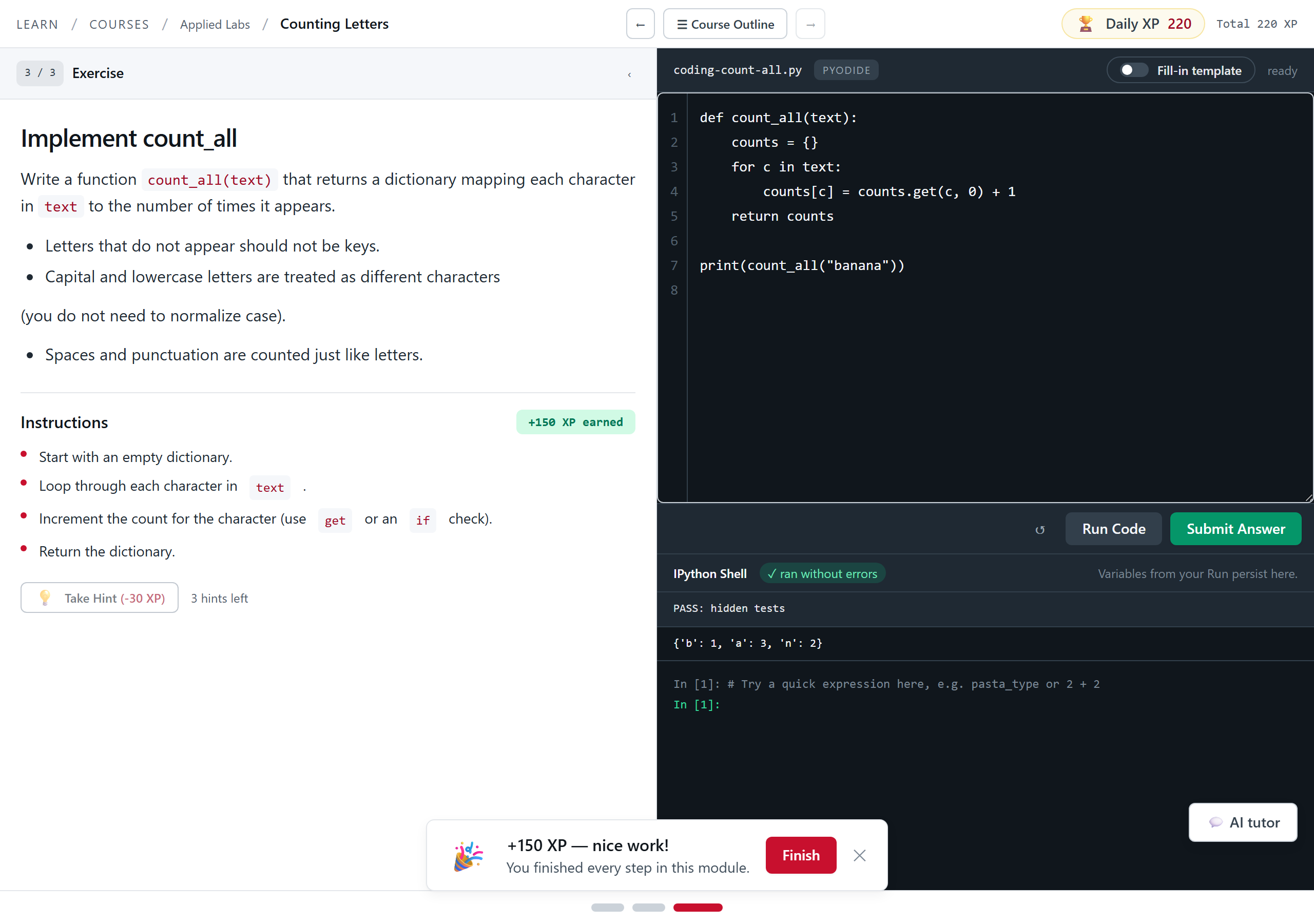
The finished function clears every hidden assertion, including the empty string and the mixed-case cases you never see. Tip. Hidden tests always include the boring cases: the empty input, the repeated character, the string with punctuation in it. Try those yourself with Run Code before you submit.